Why budgeting apps matter
A budgeting app isn’t just a digital notebook. It links your financial accounts, tracks every transaction, and shows your cash flow in real time. For a family juggling groceries, utilities, and online purchases, it reveals where money actually goes week to week, not just where you think it goes. Expect it to flag recurring charges you forgot you signed up for, like a streaming trial that auto-renews, so you can decide whether to cancel or renegotiate. The right app turns messy numbers into a clear plan you can actually follow, whether you want to save for a vacation, pay down debt, or reach a specific savings goals, such as six months of essentials in the bank.

How to choose the right app for your goals
Start with your daily reality. Do you want zero-based budgeting like EveryDollar or a stronger emphasis on envelope budgeting with PocketGuard? Consider:
- Which financial accounts you need to connect and whether the app supports bank-grade syncing
- If you need expense tracking and automatic category assignment, and how well it handles ambiguous purchases
- Whether you want a premium version for deeper custom reports or debt payoff plan features, and if those extras justify the price
- How the app handles subscriptions and whether it aligns with your monthly income cadence, including irregular pay cycles
We highlights options that help you track spending, manage budgeting tools, and stay in control of your money management routine. Practical setups, like linking a joint account and assigning groceries to a shared budget, can prevent one person from over-spending and keep both partners aligned.
Mint: The All-in-One Personal Finance Tracker
Mint consolidates everyday tracking with longer term planning in one place. If you want a dashboard that combines financial accounts, expense tracking, and budget insights, Mint keeps it all in view for quick checks before you dive back into your day.
Overview of features
Automatic transactions land in the right categories as your bank posts them, with a live dashboard that highlights cash flow gaps and upcoming bills. Spot trends in spending over a 30 day window and flip on a simple budget planner to see how small changes could bolster your safety net.
- Automatic import of bank and card transactions from common providers
- Unified view of accounts, balances, and net worthBasic goal setting for savings and debt payoff
- Alerts for overspending and unusual charges
Strengths and ideal use cases
Mint shines for budgeting beginners who want a straightforward start. If you prefer a free budgeting tool with a broad personal finance view, Mint reduces setup friction and keeps everything visible in one app, helping you avoid scattered notes and multiple extensions.
- Great for expense tracking without premium features
- Useful for households needing a shared snapshot of monthly income and recurring bills
- Quick, visual spending categories without heavy customization
What it costs
Mint offers a free tier supported by ads. If you want deeper reporting or coaching, consider premium options, since some advanced features sit behind a paywall elsewhere.
| Pros | Cons |
|---|---|
| Unified, free access to accounts and transactions | Ads can interrupt the experience |
| Clear view of cash flow and trends | Limited customization for advanced planning |
YNAB (You Need A Budget): proactive budgeting for longer-term goals
Core philosophy and features
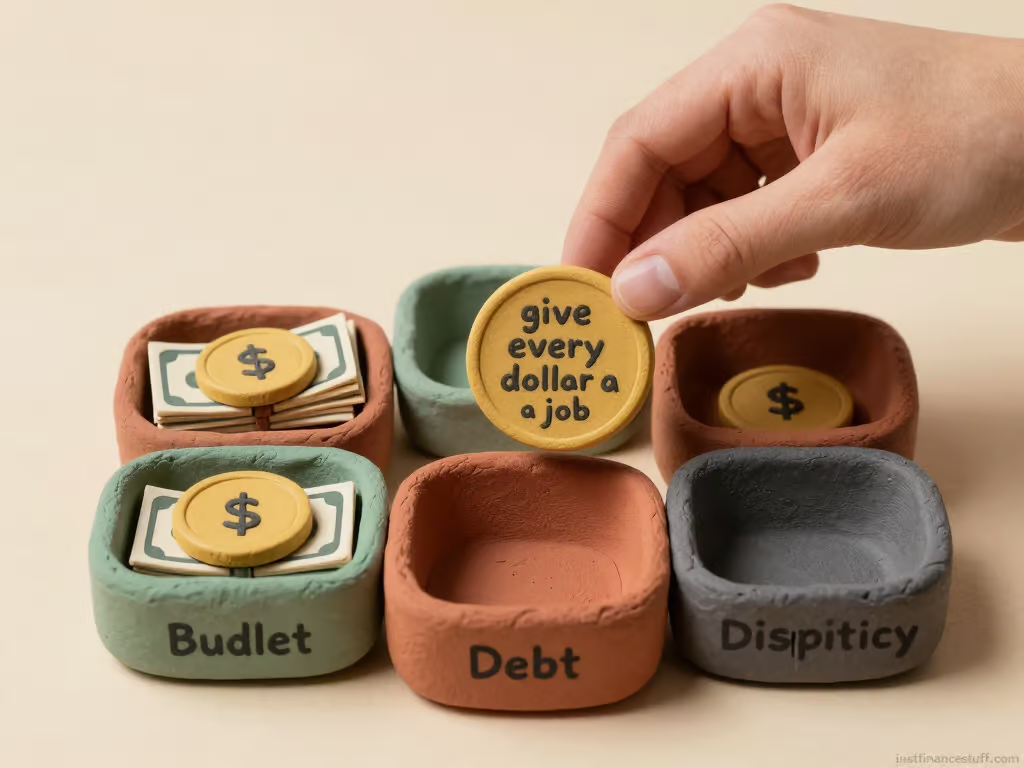
YNAB lives by one bold idea, give every dollar a job. It nudges you to allocate funds before they’re spent, shaping daily money habits instead of just tracking past activity. You’ll see a strong emphasis on zero-based budgeting and plan driven spending, not only historical receipts. For example, you might assign a specific $60 to groceries this week and adjust if plans shift midweek.
- Zero based budgeting that requires every dollar to have a purpose
- Real time syncing with linked accounts for an accurate snapshot
- Proactive allocations to bills and essential categories, not after the fact
- Category goals that reveal progress toward savings and debt payoff
- Guided prompts to prioritize needs when funds tighten
How it helps with debt and savings
Debt payoff and savings goals become concrete plans. Expect nudges to reallocate when costs spike and to maintain an income-adaptive plan. Timelines adjust as spending shifts, so your progress stays visible.
- Debt payoff workflows that update as allocations change
- Visible progress toward savings goals and emergency funds
- Regular reallocations during unpredictable months
Pricing and trial
YNAB offers a trial to test the workflow before subscribing. After the trial, plans include monthly or annual pricing with full feature access and multi-device syncing.
| Pros | Cons |
|---|---|
| Strong zero-based discipline | Learning curve for new users |
| Clear path to debt payoff and savings growth | Requires consistent usage to see results |
👉 YNAB – Check Here
PocketGuard: simple tracking with smart insights
PocketGuard aims to keep budgeting approachable without drowning you in data. It focuses on a clean, quick read of your cash flow so you can see what you actually have to spend while still pursuing savings goals. If you want a light, real-time snapshot rather than a deep dive, this one often fits the bill. For example, a freelancer juggling irregular income can use the real-time view to spot when a big invoice is pending and adjust discretionary spending accordingly.
Automatic categorization and goals
Automatic categorization helps you see where money goes without manual tagging every time. It also surfaces a simple set of goals, guiding you toward a spending plan you can actually follow. In practice, you might notice groceries and dining gradually drifting toward the umbrella of “food” instead of separate tags, making the overall plan feel doable.
- Categories update as you spend, reducing setup friction
- Basic goals aligned with your monthly budget and savings targets
- Dashboard highlights how much money remains to spend after essentials
Spending alerts and barriers
Alerts act as a light touch brake on impulse buys. Barriers keep you from dipping into funds earmarked for bills or debt payoff, which can be helpful during busy weeks. If your calendar fills with social events, the alerts can help you pause small splurges until payday arrives.
- Alerts for nearing budget limits in key categories
- Optional barriers that soften or block overspending on nonessentials
- Notifications tied to upcoming bills to stay ahead of cash flow needs
User experience tips
Keep expectations realistic: it’s designed for quick checks, not exhaustive reports. Regularly syncing accounts helps maintain the freshest view of balances and pending transactions. If you miss a day of syncing, you’ll see stale data until the next refresh, so make it a habit to run a sync before you plan a weekend budget review.
- Link bank accounts and credit cards for near real-time updates
- Customize the few essential goals to match your real-life priorities
- Use the spending view to identify recurring patterns and adjust categories
| Pros | Cons |
|---|---|
| Simple setup with automatic categorization | Limited deep-dive reporting |
| Clear cash flow snapshot for quick decisions | Some features behind a premium version |
Personal Capital: budgeting meets investable net worth tracking
Personal Capital pairs everyday money management with a broader wealth view. If you want to see how monthly choices ripple into long-term goals, this app leans into that balance rather than just tallying receipts.
Budgeting tools vs. retirement planner
You start with budgeting basics and then layer in retirement planning features. Expect dashboards that show cash flow and spending trends alongside projections that reflect your current savings rate. A practical tip: set a monthly cap on discretionary spending and watch how small cuts compound over time in the retirement forecast.
Investment integration
Accounts in your portfolio feed into the financial picture, so market moves interact with spending limits and savings targets. This isn’t a simple expense log; it’s a hybrid view where asset allocation subtly shifts your budget outlook. For example, a shift toward equities can alter withdrawal room in bear markets, affecting short-term cash planning.
Best for higher-level finances
For households juggling investments, retirement contributions, and debt alongside daily expenses, Personal Capital provides a consolidated lens. It suits planners who want to connect daily money habits to long-term outcomes. If debt is heavy or income is irregular, you’ll likely rely on manual adjustments to projections.
| Pros | Cons |
|---|---|
| Consolidated view of income, spending, and investments | Budgeting depth can feel secondary to planning features |
| Strong retirement and investment planning tools | Some features require linking multiple accounts |
👉 Personal Capital – Check Here
Goodbudget: envelope budgeting in the digital era
Goodbudget brings the classic envelope budgeting method into a digital space. If you like seeing your monthly spending broken into fixed buckets, this one keeps that discipline without folding you into a spreadsheet maze.
Envelope system online

The core idea is simple: allocate money to labeled envelopes for categories like groceries, entertainment, and utilities. When you spend, you pull from the right envelope, so you can visualize available funds at a glance.
- Virtual envelopes mirror real cash limits
- Past transactions help refine future envelopes
- Works with a straightforward budgeting rhythm rather than complex setups
Practical setup tips: start with 4 to 6 envelopes that cover your non-negotiables, then add a “Next Month” envelope to front-load savings. If groceries average 320 per week, set a weekly envelope of 320 and roll any leftover into a small buffer.
Family and group syncing
Syncing lets multiple people in a household contribute to the same budget. It’s handy for shared expenses and for teaching kids or partners how money flows.
- Shared accounts improve coordination on monthly goals
- Separate envelopes can be assigned to individuals
- Real-time updates help avoid double spending
Real-world use: assign a “Gas” envelope to a partner and an “Eating Out” envelope to a teen, with a weekly reconciliation cue so everyone can see where overspending happened.
Limitations and suitable scenarios
Goodbudget shines when you want a disciplined, debt-averse framework and simpler tracking. It isn’t the best fit if you need heavy automation or a deep investment view.
- Limited automatic categorization means more manual input
- Fewer advanced reports than some non-envelope apps
- Best for households prioritizing spending discipline over flashy analytics
| Pros | Cons |
|---|---|
| Digital envelope budgeting aligns with simple money rules | Less automation than other apps |
| Easy family syncing for shared finances | Fewer advanced analytics |
👉 Goodbudget – Check Here
EveryDollar: Dave Ramsey’s budgeting approach
EveryDollar sticks to a simple, rule-driven path: zero-based budgeting that tells you exactly where every dollar should go. If you want a straightforward system to prevent money from slipping through the cracks, this approach leans into that discipline with a tidy, predictable flow. For a family juggling rent, utilities, and a weekly grocery run, it translates into a concrete plan you can actually follow month after month.
Zero-based budgeting explained
EveryDollar guides you to assign every monthly income to spending categories before the month begins. The idea is that income minus expenses equals zero, so no money sits idle. That clarity helps curb impulse purchases. A practical setup might allocate a fixed dining-out amount and then shift leftovers toward debt payoff or an emergency buffer if plans change.
Ease of use and integration
The app emphasizes a clean, straightforward interface. You can create a daily spending plan, log transactions, and watch cash flow align with your budgeted amounts. It fits well with the Dave Ramsey framework, but it isn’t meant to be a deep-dive cost analysis tool or an investment tracker. If you track groceries by scanning receipts, you’ll notice quick feedback when a category overruns its limit.
Subscription considerations
There are free and premium paths. The premium version adds features like automatic transaction import and more advanced reports, but the core budgeting chops live in the zero-based setup. If you want extra automation, upgrade; if you prefer a lean, manual approach, the free tier may suffice. A practical move is to start on the free plan for a couple of months and evaluate where automation actually saves time.
| Pros | Cons |
|---|---|
| Clear zero-based budgeting method | Less focus on investments or net worth |
| Simple, approachable interface | Premium features add cost |
PocketSmith: forward-looking cash flow planning
PocketSmith shifts the focus from what happened to what could happen. If you want a view that stretches into the coming weeks and months, this tool leans into forecasting with clear timelines. For households with biweekly pay and quarterly bills, it helps spotlight when a big expense could push you into overdraft so you can adjust before it hits.
Forecasting and flexible timelines
Its forecasting features plot income, expenses, and savings across adjustable timeframes. You can move dates around to stress-test scenarios and see how small changes ripple through cash flow over time. A practical start is a 90 day forecast with a 30 day buffer for irregular costs like car maintenance or gifts.

Multi-currency support
For households dealing with more than one currency, PocketSmith handles multiple currencies in one view. This helps keep budgeting coherent when exchange rates shift or you’re juggling international transactions. If you freelance abroad and get paid in euros while paying bills in dollars, you can model both sides side by side.
Ideal for planners
This app shines when you want a long-range view and the option to nudge plans without rebuilding the whole budget. It’s useful for aligning spending with upcoming bills and future goals while keeping an eye on current cash flow. The deeper forecasting tools can feel dense at first, but starter templates help.
| Pros | Cons |
|---|---|
| Forward-looking cash flow with adjustable timelines | Learning curve for new forecasting features |
| Multi-currency support for global use | Some features feel premium-oriented |
| Easy scenario planning for future months | Initial setup takes time |
👉 PocketSmith – Check Here
FAQ
Common questions come up when you start budgeting with these apps. Here are quick, practical answers to help you decide what matters most.
- Which app is best for zero-based budgeting? EveryDollar guides you to assign every dollar before the month begins, so you can see exactly where money goes from day one. In practice, that means setting a monthly plan for essentials, then allocating surplus to debt or savings before you spend on extras.
- Can I track multiple bank accounts in one place? Yes, most options connect several accounts to pull in transactions and balances. Expect occasional delays for small banks, and consider splitting high-risk accounts into separate connections for faster reconciliation.
- Do these apps sync automatically with my bank? Many offer automatic syncing, though some features may require a premium version or manual imports. If you use a joint account, verify both parties can access the same feed without duplicating transactions.
- Is it possible to set spending limits and alerts? Yes, several apps let you set category caps and real time alerts to curb overspending. For accuracy, review the first two weeks of alerts and adjust category definitions to match your actual spending.
- Will these tools help with debt payoff? Some options include built in debt payoff plans or links to loan accounts to visualize progress alongside spending. Pair this with a calendar reminder for monthly payments to avoid late fees.
- Are there free versions? Most have a free tier with core budgeting features; premium plans unlock deeper reports, automation, or multi device sync. Start with the free tier, then upgrade only if you need automated categories or import history.
| Topic | What to know |
|---|---|
| Bank connections | Quality of sync and security varies by app and plan |
| Automation | Automatic categorization speeds setup but may need rule tweaks |
| Costs | Free budgets exist; premium versions add automation and deeper insights |
Conclusion
Choosing the right budgeting app comes down to your money habits and how you want to manage your cash flow. If you prefer a disciplined zero based approach with clear envelopes, a tool that supports envelope budgeting can keep daily spending honest while you chase savings goals. For example, if you get paid on the 1st and 15th, you can cap groceries, rent, and a separate fun fund before anything else posts.
For broader financial control, look for apps that blend budgeting with net worth tracking and investment accounts. This helps you see how daily choices ripple into long term outcomes, not just monthly totals. A practical setup is syncing a retirement account to visualize how a modest weekly dining habit grows over decades.
Choose the app that matches your spending rhythms and how much automation you’re comfortable with. If you want quick setup and straightforward categorization, a lean option with automatic imports might fit. If you crave deep visibility into future cash flow, prioritize forecasting features and multi currency support. Start with a free trial, review your last 60 days of transactions, and see whether the auto categorization settles after a week.
- Prioritize apps that sync financial accounts and show a clear dashboard of ongoing bills and upcoming expenses.
- Assess whether debt payoff tools or savings goals are built in, and how easy they are to adjust as life changes.