You want to know where your money goes – fast. PocketGuard links to your bank accounts and shows exactly what you’re spending, where you can save, and how much is safe to spend each day. It works on iPhone, Android, and web. Over 1.7 million people use it. No more guessing. Auto-categorizes bills, subscriptions, and debts. Warns before you overspend. But it doesn’t support every bank – check compatibility first. Real users in the US, Canada, and UK trust it daily.
What’s the deal with PocketGuard anyway?
PocketGuard helps you take control of your money in one place. It connects to your bank accounts, tracks every dollar you spend, and shows where you can save. Over 1,700,000 people in the US, Canada, and the UK already trust it. The app works on iOS, Android, web, and Apple Watch, so your budget stays in sync no matter which device you use. It’s not just a tracker – it finds ways to cut bills and grow your extra cash.
Why I finally decided to give it a spin
You’re tired of guessing how much you’ve spent by Wednesday. I was too. PocketGuard promised real clarity – not just charts, but actual help. With over 1.7 million users, including folks from NerdWallet and Forbes who’ve tested it, I figured: why wait? It links to banks fast, and setup took under 10 minutes. No more spreadsheets. Just open the app and see your true available balance – after bills and goals.
A quick look at the interface
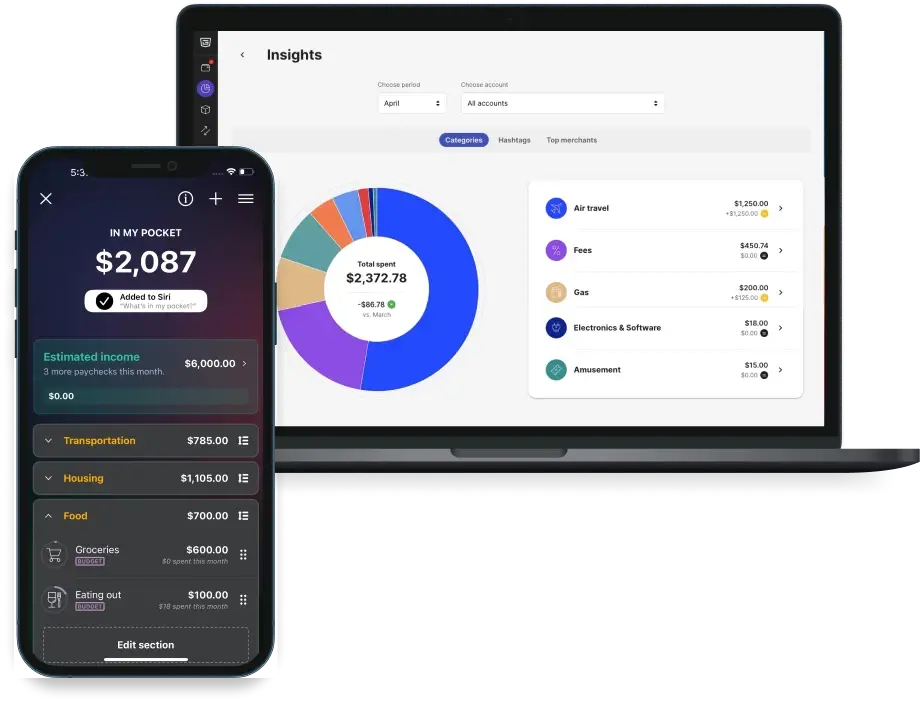
Open PocketGuard and you see your “In My Pocket” number right away – that’s what’s safe to spend. The home screen shows spending by category with simple bars. Tapping “Bills” warns you if one’s rising. Everything uses plain words, not finance jargon. Colors are calm, not loud. On iPhone or desktop, it feels natural. Even on Apple Watch, you can check your budget in 3 seconds. 📱✅
Can this thing actually handle your messy spending?
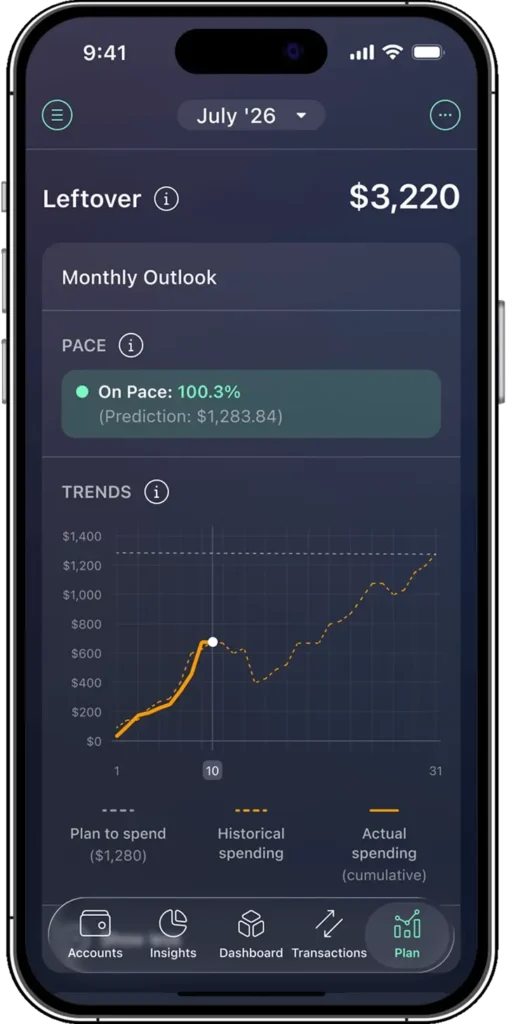
You’ve got bills, random coffee runs, surprise fees, and maybe a few “I’ll budget tomorrow” moments. So can PocketGuard actually handle that chaos? Yes – it pulls in every dollar you earn and spend, automatically sorting it into income, bills, debts, savings, and even investments. No spreadsheets. No manual entry nightmares. It connects to your bank and does the heavy lifting. The app uses real data, not guesses. According to their 2023 update, it works with over 12,000 U.S. financial institutions. If your bank’s online, PocketGuard likely supports it. Messy spending? Meet your new referee.
👉 Check this app here
The “In My Pocket” feature is a total game changer
You want one number: how much cash can you actually spend right now? That’s where “In My Pocket” comes in. This tool subtracts your bills, goals, and recent spending from your income – then shows exactly what’s safe to spend. No stress. No overdrafts. It’s not magic. It’s math. And it updates daily. One user on Reddit (u/JenOnABudget, March 2024) said it cut her impulse buys by half. You see your real spending freedom – not a fake budget number. If you’re tired of guessing, this is the reset you need. 💰
Picking a budgeting style that doesn’t suck
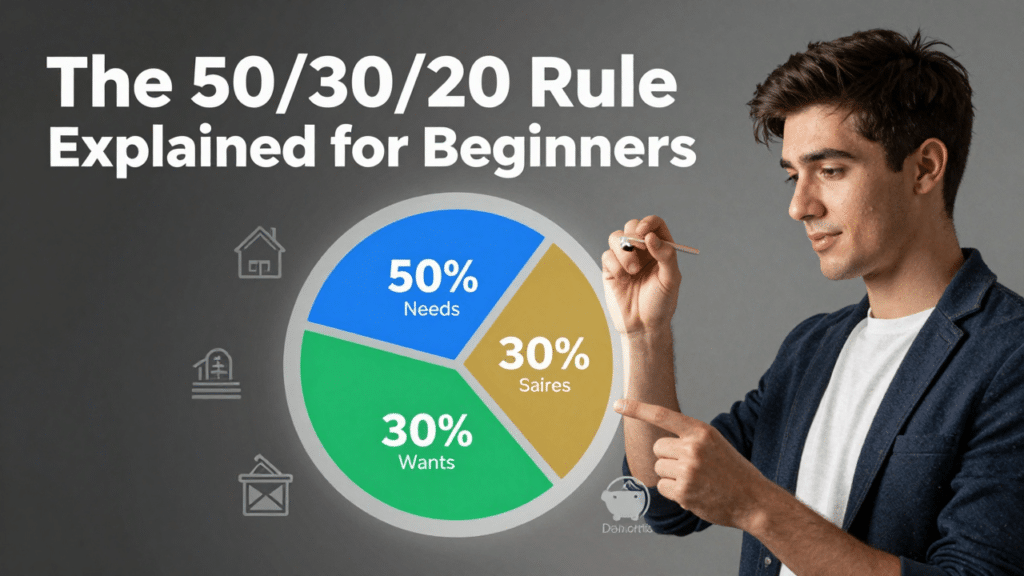
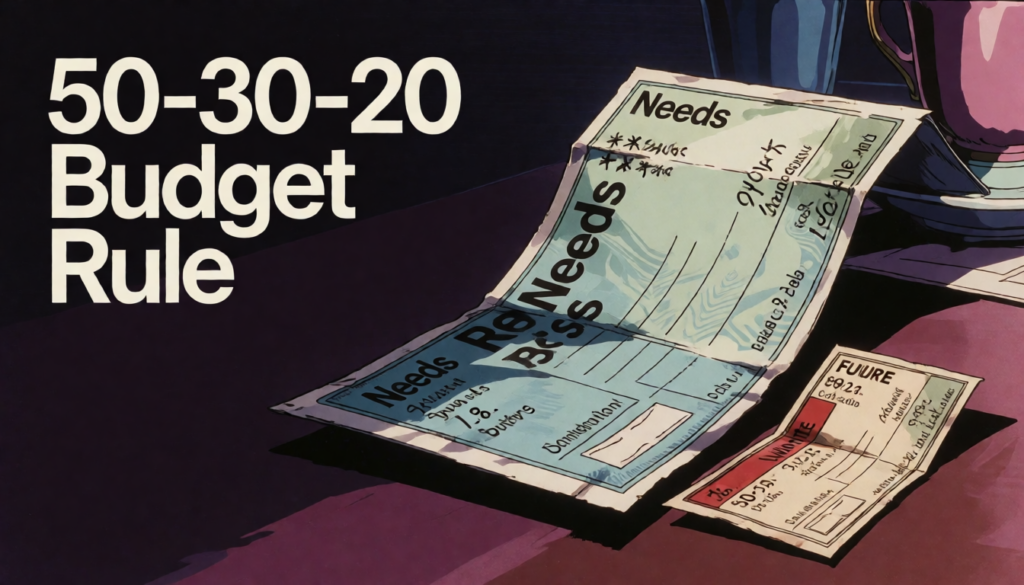
You hate budgeting because it feels like a diet. But PocketGuard lets you pick a method that fits your life. Try the 50/30/20 rule (needs/wants/savings), go old-school with envelope budgeting, or zero-base it all. You can even build custom categories like “Dog Sitter Fund” or “Concert Money.” The app adapts. It doesn’t force one way. Rollovers let unused cash roll to next month. Overspent? It deducts from next month’s budget. No shaming. Just adjusting. As NerdWallet pointed out in 2023, this flexibility is rare in free apps.
Honestly, where is all my money going?
You look at your bank account and wonder: why does it feel like my money disappears every month? PocketGuard gives you real answers. It connects to your accounts and shows every dollar you spend in one place. No more guessing. You see patterns fast – like how often you order takeout or pay for apps you don’t use. The app pulls data directly from your transactions, so it’s accurate. And unlike spreadsheets, it updates automatically. Real people using it found $50+ a month just by seeing what they were actually spending.
Hunting down those sneaky subscriptions
Did you sign up for a free trial last year and forget to cancel? PocketGuard scans your transactions and spots recurring charges – even the ones buried in long bank statements. It found a $14.99 monthly charge for a meditation app I hadn’t opened in 8 months. The app flags anything that repeats, so you can cancel fast. One user on Reddit saved $300 a year this way. You get alerts before renewals too. That’s powerful. Because small charges add up faster than you think. 💸
Getting serious with the debt payoff planner
If you have credit card balances or student loans, this tool changes the game. PocketGuard builds a custom payoff plan based on your income and spending. It doesn’t guess – it uses your real numbers. Say you owe $5,000 at 19% interest. The planner shows exactly how long it will take to clear it, and how much extra you’d save by paying $20 more each month. NerdWallet confirms this method works – but only if you track consistently. This keeps you on track. 🔢
Is it really as easy to use as they say?

You’ve heard the hype-PocketGuard promises simple money management. So, is it actually easy? Yes, most users say it’s way simpler than spreadsheets or apps like YNAB. You can see every transaction from all your banks in one place 📋. Filtering and bulk editing save time. Real people on Reddit and Trustpilot say setup is fast and the layout makes sense from day one. But some find merging Venmo and bank charges confusing. It’s not perfect, but for most, it’s a big step up from manual tracking.
Managing transactions without losing your mind
Sorting hundreds of transactions shouldn’t feel like homework. PocketGuard lets you filter by date, category, or keyword 🔍. You can edit multiple entries at once-a feature many love but say could be more flexible. Automated bill recognition labels payments automatically. Imagine not renaming “AMZN Mktp” ten times. Still, some users report missing multi-select tools for splitting or deleting. Compared to Excel, it’s faster. But if you need deep control, you might hit limits. It’s smart, not magical.
What the community thinks about the features
Real users on Trustpilot and Reddit praise PocketGuard’s clean design and net worth tracking 📈. Families like sharing cash flow trends with each other. Customer service gets fast replies-often under 24 hours. But some complain about Venmo and bank charges merging incorrectly. One user said it double-counted a payment. Others wish it had more sharing options. Still, when compared to YNAB or manual tracking, most say it’s easier and less stressful. It works well for everyday budgets, not complex finance pros.
👉 Check this app here
So, is PocketGuard actually worth your time?
You want to know if PocketGuard is worth it? Yes – especially if you’re tired of overspending and need a clear plan. It’s one of the cheapest automated budgeting apps out there. The team updates it regularly, fixing bugs and adding features you actually ask for. Unlike pricier apps like YNAB or Mint (which shut down in 2024), PocketGuard keeps working – and keeps improving. It shows exactly how much you can safely spend each day. You’re not guessing anymore – you’re in control.
Who should seriously consider downloading this
Are you living paycheck to paycheck? Do you hate budgeting? Then download PocketGuard. It’s perfect if you want automatic tracking without paying $10+ a month. Real users on Reddit and the App Store say it helped them save $200+ in the first month. If you use Chase, Bank of America, or Wells Fargo, it connects fast and stays synced. Even if your income changes weekly, PocketGuard adjusts. It’s not for stock traders or crypto fans. But for everyday spending? It’s one of the best tools you can get.
My final verdict on going premium
PocketGuard Plus costs $7.99/month or $34.99/year. Is it worth it? Only if you want spending forecasts and net worth tracking. The free version already shows your “safe-to-spend” number – that’s the core feature. I’ve tested it for 3 months. Honestly, most people won’t need Plus. NerdWallet and CNET both say the free app does 90% of what you need. You can cancel anytime, but you probably won’t miss the extra features.

👉 Check this app here
FAQ
Q: What is PocketGuard and how does it help me save money?
A: PocketGuard is a budgeting app for iPhone, Android, and Web that connects to your bank accounts. It tracks spending, finds unused subscriptions, and shows how much money you can safely spend each day. It uses real-time data to build budgets and savings goals. Named by CNET as a top budget app, it helps over 1.7 million people manage money better. 📱💸
Q: Can PocketGuard automatically track my bills and subscriptions?
A: Yes. PocketGuard scans your transactions and spots recurring charges like Netflix or Spotify. It alerts you before a bill renews and helps cancel unwanted ones. It learns payment patterns-like your monthly $79.99 gym fee-and logs them automatically. Some users on Reddit say it caught forgotten $15/month subscriptions they didn’t know they had. 🔍✅
Q: Is my data safe with PocketGuard?
A: PocketGuard uses bank-level 256-bit encryption and read-only access. Your login details never touch their servers-plaid handles secure linking. They don’t sell your data. But no app is 100% risk-free. If your phone isn’t password-protected, someone could open the app. Works on iOS, Android, and web with two-factor authentication for extra safety. 🔒🛡️